

Use this guide to create the GitHub App required for PR Automation in self-hosted OpenTaco. This app is required regardless of where services run (Docker Compose, Kubernetes, Railway, or other deployments).Documentation Index
Fetch the complete documentation index at: https://docs.opentaco.dev/llms.txt
Use this file to discover all available pages before exploring further.
Open the backend GitHub setup wizard
Open the UI-proxied setup endpoint:
-
https://<your-public-opentaco-url>/orchestrator/github/setup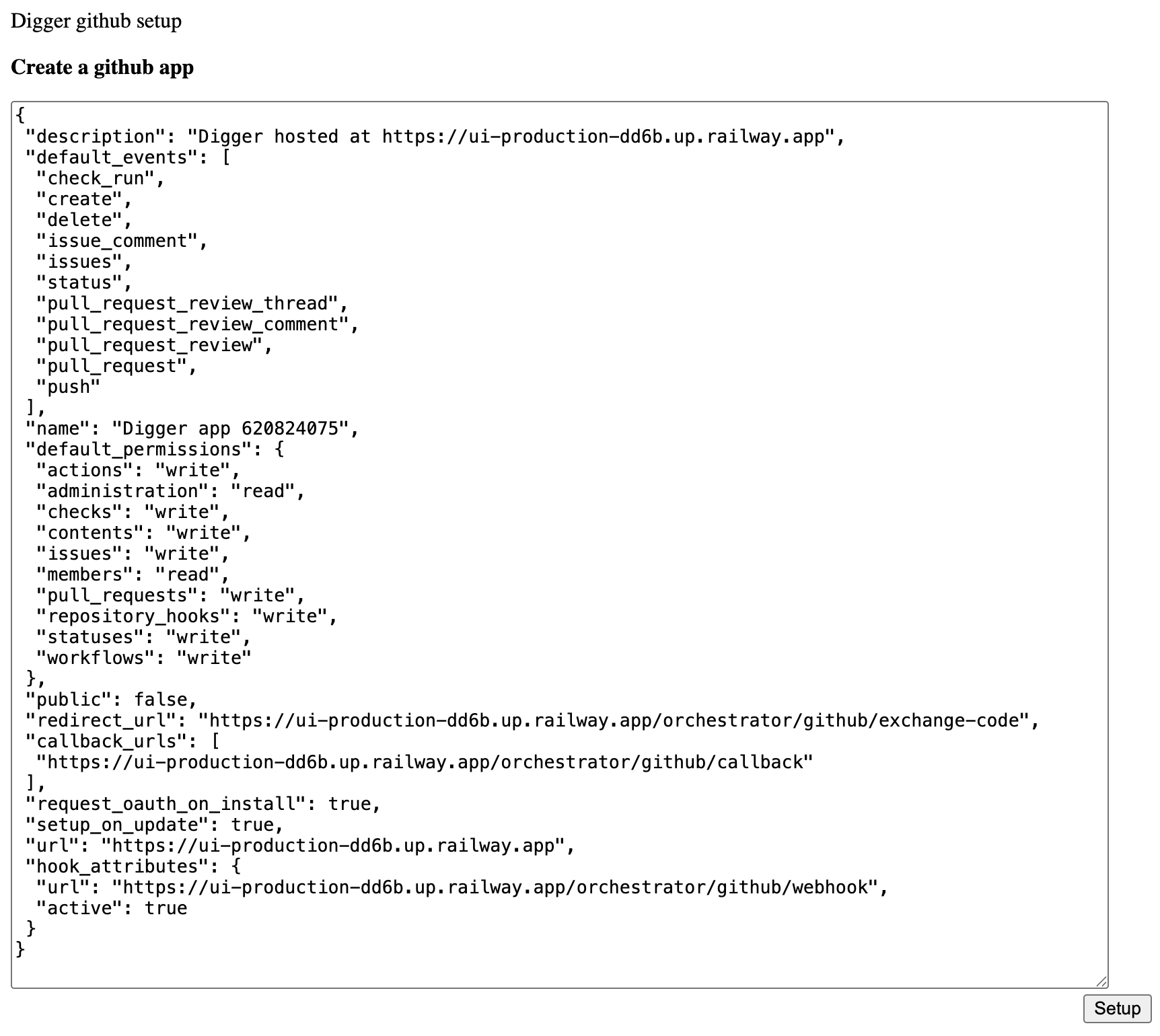
Create the app from the generated manifest
Opening the setup wizard generates the GitHub App manifest JSON payload.Continue in GitHub from that generated manifest to create the app.This is the main difference from cloud onboarding, where you install the hosted OpenTaco GitHub App directly.
Copy GitHub credentials into service configuration
After app creation, copy these values into orchestrator and drift service env/secrets: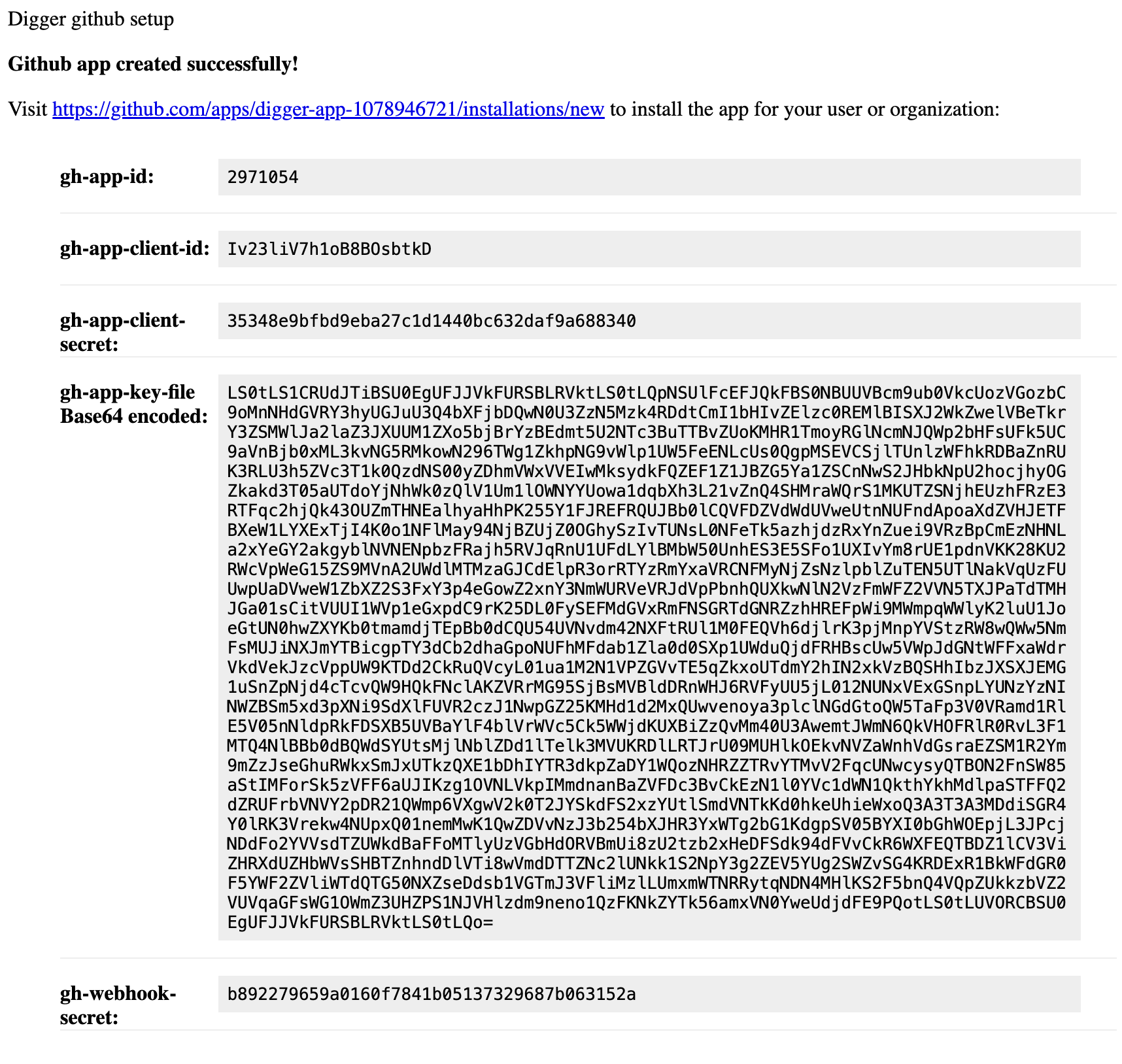
GITHUB_APP_IDGITHUB_APP_CLIENT_IDGITHUB_APP_CLIENT_SECRETGITHUB_APP_PRIVATE_KEY_BASE64GITHUB_WEBHOOK_SECRET
Install the app on your repositories
Open the app install URL (for example
https://github.com/apps/<app-name>/installations/new) and install to your org/user account.Choose either all repositories or selected repositories based on your rollout plan.Set ORCHESTRATOR_GITHUB_APP_URL in your UI service configuration to that same install link so “Connect with GitHub” points to your app.Required backend environment variables
PUBLIC_BASE_URL: reachable public URL for orchestrator callback generationINTERNAL_BASE_URL: internal orchestrator URL used for service-to-service routing- Optional:
GITHUB_ORGto scope setup to a specific organization
Related docs
- Set up GitHub App for the full onboarding flow context
- Configuration for cross-service variable requirements